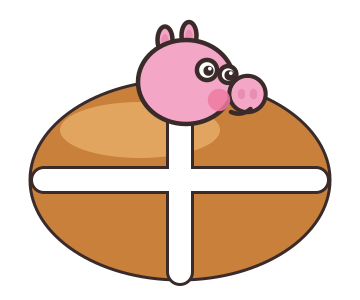
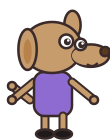
The first version of the control scheme had a key for each thing: take, put, ice, serve. It lasted one afternoon. A seven-year-old on a laptop trackpad does not want to find the right key while a dog taps his foot at the counter. So the rule became this: the action does whatever the bubble over Peppa says, and if there is no bubble it does nothing.
The bubble decides
Every frame the game finds the nearest station or customer within 100 logical pixels of Peppa's feet and asks a small table what the action would mean there: nothing in hand at the bowl means take dough, dough at an empty oven slot means load it, a baked bun at the icing table means pipe the cross, a hot cross bun at a customer who wants that kind means serve. If the table has no row for the pair, there is no bubble and the button is dead. The table is the whole recipe, and it is also the tutorial: the bubble shows a picture of the next thing, so nobody has to read.
That table is pure data in a file with no engine imports, which means it is tested in Node in a few milliseconds and the scene only draws what it says.
Moving without arrows
On a laptop the arrow keys and WASD work, but the children reach for the trackpad first. So whenever a mouse-type pointer moves inside the game, Peppa walks toward it and stops when she is within 24 pixels. Holding a key wins over the pointer, so the two never fight. The action is Space or Enter.
A click does a little more: it means "go there and do it". Click on or near the bowl, the oven, the icing table, the bin or a waiting customer and Peppa walks to the spot she uses it from, then acts when she arrives. Moving the mouse away mid-walk does not redirect her. The cursor turns golden over anything she can use, so it is easy to see what a click will do. A child who only ever uses the trackpad and the spacebar can finish every day.
Thumbs on a tablet
On a phone or tablet the same two controls appear on screen: a thumb-stick drawn as a d-pad in the bottom-left quarter, which appears wherever the thumb lands, and one large round button bottom-right whose icon mirrors the bubble. Both stay inside the safe area, and both are at least 72 logical pixels across, which is the size a small thumb lands on reliably. Pointer-follow is switched off for touch, because a finger dragging across the screen is the stick, not a destination.
Portrait orientation shows a "turn your phone sideways" card rather than a squashed kitchen. Landscape is the only layout the kitchen is drawn for, at 1280 by 720 logical pixels, scaled to fit and letterboxed in the wall colour.
What this made simple
Because the game only ever receives "move this way" and "action pressed", the rules never know which device produced the input. The same day plays out identically with keyboard, trackpad or touch, and the tests replay a day with a seeded random generator and check the outcome. One button turned out to be a design decision and an engineering one at the same time.
The next post is about making the kitchen feel alive: the art, a little depth, and a lot of small sounds.
Try the controls on whatever you have in your hand.